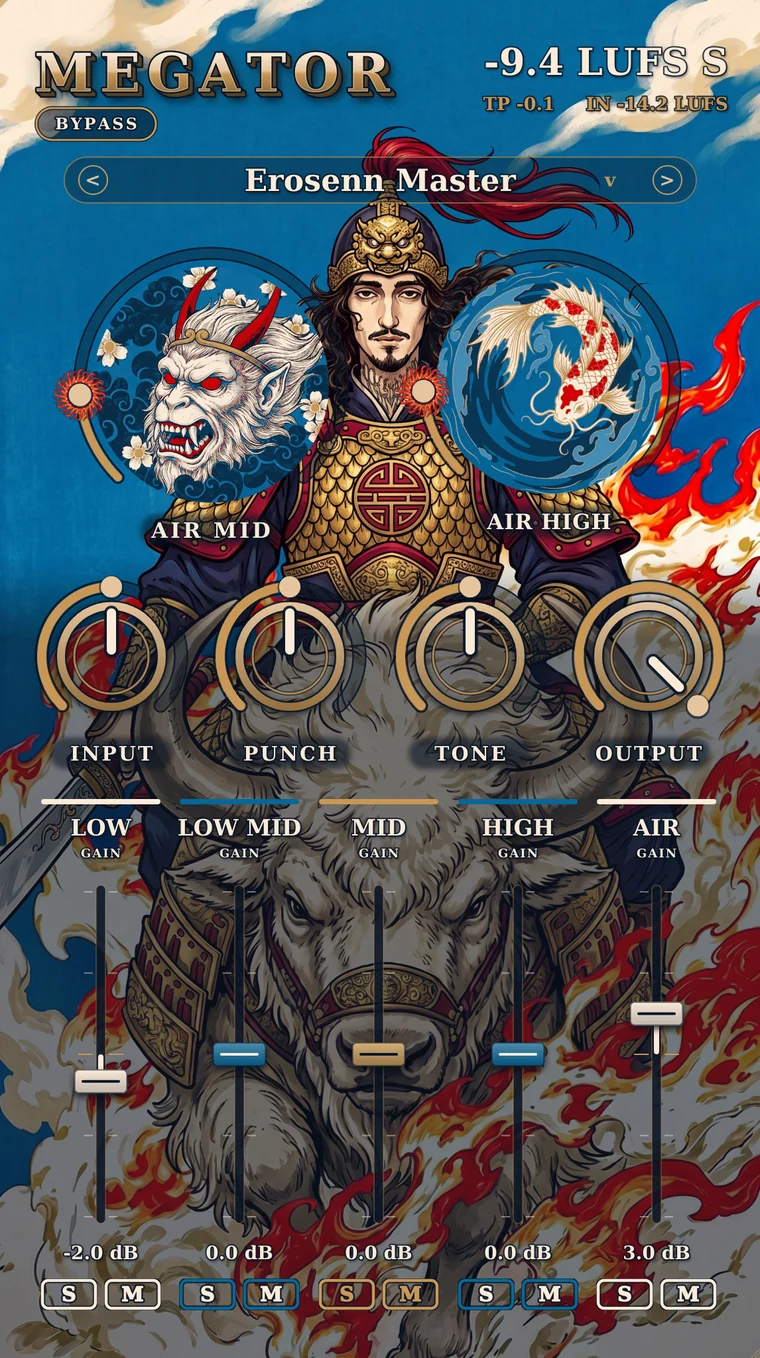
Megator cover: Erosenn riding an armored white bison, with the 3D gold MEGATOR wordmark and the plugin UI behind him
NEW PLUGIN · COMING VERY SOON

MEGATOR

BEAT MASTERING PLUGIN

I built the best weapon there is for mastering my own beats. Drop it at the end of your master chain and turn up INPUT: the beat gets loud, the 808 stays put, the hi-hats open up.

1,500 TLlaunch price
WINDOWS · VST3MAC · AU / VST315 PRESETSLUFS METER

EXAMPLE BEATS
Erosenn's own beats. On the Megator version, Megator is the only thing on the master.
BUENA120 BPM
0:000:56
Difference: +11.4 dB louder With Match levels on, both versions play at the same loudness — the louder one always sounds better, so don't let your ears fool you. Keyboard: space play / pause, B before / after.

SOFT CLIPPER

It doesn't squash like a limiter, it clips. The beat gets to -9 / -10 LUFS easily, and with 8x oversampling there's no crackle even when you push it hard.

AIR MID & AIR HIGH

Brightness and air on the hi-hats and the top end. It adapts to the beat, so the air doesn't duck every time the 808 hits.

5 BAND

Low, Low Mid, Mid, High, Air. Every band has its own gain plus Solo / Mute. Find the problem, fix it.

PUNCH & TONE

Punch pushes the kick and snare forward, Tone dials in the overall tonal balance of the beat.

LUFS METER

Don't guess how loud you are — see it. True peak and input level sit right underneath.

15 PRESETS

Start with Erosenn Master. Your beat sounds good without touching a single knob.

I built the best weapon there is for mastering my own beats. It's called Megator.
— EROSENN
Megator interface
CONTROL 6 / 11

INPUT

The main knob. The further you turn it, the louder the beat gets and the harder the clipper works.

Tip: turn it up until the big meter reads -9 / -10.

Why Megator?

  • ✓
    Clean clipNo crackle, no metallic edge, even when you push it hard.
  • ✓
    The 808 never gets squashedNo limiter, so the hit stays exactly as it is.
  • ✓
    No clicksTurn knobs, write automation — the audio never drops out.
  • ✓
    Easy on your CPULight enough to leave running in your project all day.
  • ✓
    Render = what you heardThe file you export sounds exactly like playback.
  • ✓
    Save it and forget itSettings save with the project and survive updates.

How to get started at launch

  1. Buy it

    Your license key and download link hit your inbox within a few minutes.

  2. Install it

    VST3 on Windows, AU and VST3 on Mac. Then rescan plugins in your DAW.

  3. Activate it

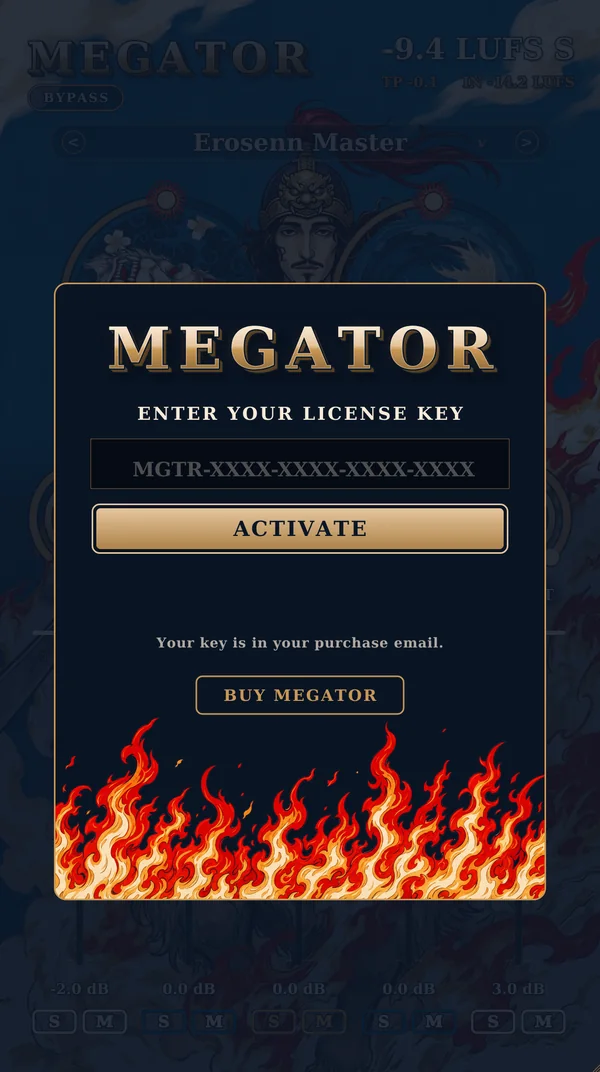
    Add Megator to your master, paste the key, hit ACTIVATE. You only need internet once.

  4. Pick a preset, turn up INPUT

    Start with Erosenn Master and bring the meter to -9 / -10.

Megator license screen

Switching computers? Hit DEACTIVATE THIS COMPUTER inside the plugin, then enter your key on the new machine.

When does it come out?

Very soon. The moment it drops I'll announce it on this page and on Instagram (@erosenn9).

Should I take my limiter off?

Yes. Megator is the end of the chain and it holds the ceiling itself. Put a limiter after it and you'll squash the punch.

How many LUFS should I go for?

-9 / -10 for beat sales and previews. Streaming platforms will normalize to their own level anyway.

Which DAWs does it work in?

Any DAW that loads VST3 on Windows (FL Studio, Ableton Live, Reaper...), and AU plus VST3 on Mac (Logic Pro included). Apple Silicon and Intel.

Can I use it on a single channel?

It was built for the master. It works on a single channel too, but the presets are dialed in for master duty.

Where do I find the details?

In the manual: a tour of the interface, all 15 presets, and tips. Download the PDF →

GET YOUR BEAT READY FOR WAR.

Megator is coming very soon. Until then, have a look through the manual.

design: Damla